
I built a new (high end) PC for a customer wanting to do some heavy duty Flight Simulator X gaming.
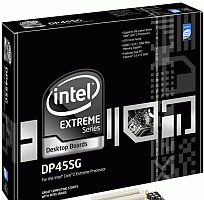
The customer specified most of the components, so what I ended up building was composed of: E8600 CPU, 4Gb DDR3 RAM, 300Gb Velociraptor hard drive, 925Watt power supply, Nvidia GTX285 Video card, Intel DP45SG motherboard, Vista 64 Home Premium.
The build and testing went well, but once he installed FSX, he called and said that he was having a few strange problems.
After “flying” for a while, the sound would start cutting out. After a few minutes, the frequency of the sound dropouts would increase, until he would get dropped out of FSX, and he would see the IDT sound panel, which was indicating that the SPDIF sound had just been connected.
I had installed the latest BIOS, so its not likely thats the problem.
Since he wasn’t using SPDIF, it seemed like it wouldn’t be too hard to fix (probably just disable the SPDIF setting in the IDT sound panel, or within FSX, or at worst, disable the SPDIF hardware).
I take the PC back to the office and the fist thing I noticed with FSX, was the sound settings:
settings -> sound -> windows sound devices -> Voice
The voice setting was set to SPDIF… I changed it to output to the standard audio output (He did say he fiddled with some settings, so this might be one of the things he changed).
I then took a look at the IDT sound panel, as I really don’t want it to popup in the middle of FSX.
Sure enough, I go to Preferences -> settings -> general -> and I then “untick” the “enable jack monitoring” option.
A quick flight, and I can hear that the sound dropouts are still happening (but at least I don’t get dropped out of FSX). After a few minutes, I’m hearing mostly silence, with some sound cutting in occasionally.
I tried changing a few IDT and control panel sound settings, but nothing helped until I noticed that playing test sounds in control panel also had dropouts… and the dropouts didn’t occur at the same point in the playback… interesting!
At least its not an FSX problem!
A bit of research found the cause: it seems like the IDT software (or maybe the intel sound electronics) incorrectly detects headphones being plugged in to the front sound jack…
Normally, if you plug headphones into the front jack, it will cut the sound from the rear sound jack… but occasionally detecting “phantom” headphones causes the rear sound to keep cutting out and in.
Unfortunately, the only fix at this stage is: unplug the front panel audio connector from the motherboard.
Luckily, the customer doesn’t use the front panel audio jacks, so he is really happy to get the sound working properly.