
↓
 

Computer Aid

Ph: 0402 133 866

  • Home
  • Blog
  • Contact
  • Web Services
    • Websites
    • SEO
    • Hosting
    • Domain Names
    • Portfolio
Home→Tags oe

Tag Archives: oe

Outlook express lockup

Computer Aid Posted on 14 October, 2010 by Luigi Martin14 October, 2010

I had a customer that said Outlook express would always lockup the PC.

I had a quick look, but couldn’t see a problem.

The PC was running XP, CPU was a core2 duo, and there was plenty of RAM (1GB).

I went through my usual tuning routine, as the PC seemed a bit slow.

While waiting for a defrag to complete, I looked at the outlook express files… ie:

C:Documents and Settings[UserName]Local SettingsApplication DataIdentities{LONG HEX NUMBER}MicrosoftOutlook Express

I found it odd that the “Deleted Items.dbx” file was huge (about 900Mb).

Something was wrong here.

I stopped the defrag (I’d have to restart it once I sorted out OE).

A quick look at Outlook express showed about 80 emails in the deleted items folder, and none that would explain why the dbx file was so large.

I suspect that a huge email was “deleted” at some point in the past, and that OE will occasionally take a long time (ie appear to be locked up) while managing the deleted items folder.

So, the obvious next step was to file -> folder -> compact all folders

After about 15 minutes, the process had completed, and the deleted items.dbx file was a much more manageable size of 140Kb

After that (3 weeks later), the customer reported that the email hasn’t lock up since.
Posted in Technical | Tagged freeze, large dbx, oe

Brother CC3 defaults to outlook express for scan to email

Computer Aid Posted on 31 January, 2010 by Luigi Martin31 January, 2010

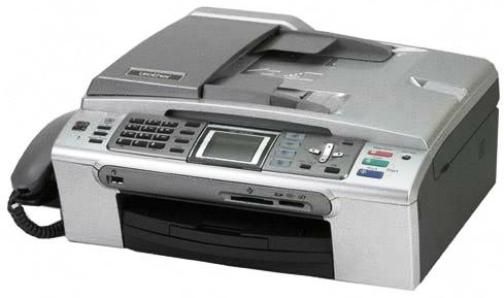
Another mildly annoying problem with a Brother MFC-665CW and CC3 (Control Center 3).

This time, I had just installed CC3, then patched it with the latest release.

Everything seemed OK until I tried the scan to email feature.

It tried to start Outlook Express (while Microsoft Outlook was the main email application).

I quickly found that OE was the default windows email application, so I made Microsoft outlook the default email app…

But CC3 continued to try opening OE.

I figured: maybe CC3 took OE as the default printer when it was installed, so if I re-install CC3, then it will take MS Outlook as the default printer.

So I uninstall CC3, then re-install it (and re-patch it), but it still keeps opening OE!

OK, google is my friend, so a quick search later, I find the solution:

I open CC3 and go to Configuration ->Scan->Email.

I then configure the software and device buttons to use Microsoft Outlook as the default mail for scan to email.

At this point, the obvious question is: why doesn’t Brothers CC3 use windows default email program, and save users all the headache?

Posted in Technical | Tagged CC3, oe, scan to email

Archives

Categories

Recent Comments

  • Sue Jones on outlook error 0X800ccc0e while sending emails
  • Blair Newmann on AdSmartMedia advertising
  • Private Investigator in GTA on Divorce, consent orders, and superannuation splits: getting the wording correct

Tags

802.11g ADSL amd android bigpond broadband bsod defender dell email exitjunction firefox firewall gmail Google google contacts ie7 infection internet connection ISP laptop Linux m1188a ntldr is missing office 2007 outlook outlook express password power supply problems ram registry repair install sata scam slow telstra thunderbird usb vista wifi windows 7 wireless wordpress xp
Copyright © 2005-2015 Computer Aid
↑