
↓
 

Computer Aid

Ph: 0402 133 866

  • Home
  • Blog
  • Contact
  • Web Services
    • Websites
    • SEO
    • Hosting
    • Domain Names
    • Portfolio
Home→Author Luigi Martin - Page 7 << 1 2 … 5 6 7 8 9 … 78 79 >>

Author Archives: Luigi Martin

Post navigation

← Older posts
Newer posts →

Filezilla, passwords, encryption, and infections

Computer Aid Posted on 19 March, 2012 by Luigi Martin19 March, 2012

I just realised that I got lazy while using Filezilla.

A few years ago, I got tired of looking up passwords in Keepass, and so (for some of the websites I administer), I just stored the passwords in Filezilla (an FTP client).

I justified it to myself by saying things like:

  • I’m unlikely to get infected.
  • If I do get infected, then Filezilla will probably not be running at the same time.
  • Filezilla probably encrypts the passwords, so that nobody but me can use them.

I realised that all the above assumptions are false, once I got infected a few weeks ago.

Removing the infection was easy, but a few days later, I noticed that I couldn’t add images to my blog (as well as other strange behavior).

Thinking it was a hosting issue, I raised a ticket with hostgator, and they quickly found out that my account had been hacked (and they changed my password for me, as well as restoring altered file permissions).

I though that was the end of it, until I noticed that some of the websites that I maintained were having similar issues.

Its then that I realised what happened: all sites that I had in filezilla (with a stored password) had been logged into, and many file permissions had been changed to “777” (ie full access by anyone).

It didn’t take long before I realised that there is no easy way that Filezilla can store passwords and also hide them from malware (unless Filezilla starts working like KeePass (and even KeePass can be hacked, unless its setup to “lock workspace” every 60 seconds (and then most people will disable that option, without realising the dangers in doing so).

So, I have now removed all passwords stored in Filezilla (and I strongly urge you to do the same).

It might be inconvenient, but its worth it.

Why?

I had about 8 hacked websites.

Some did not have shell access, so I had to navigate through all folders and sub folders (using Filezilla), changing permissions along the way, as well as refreshing most files from a backup, as some had been altered.

Many hours of wasted time, which I didn’t really need at the time.

I’ve seen many people complain that filezilla “should” encrypt the passwords, but it doesn’t take long to realise that it won’t work: the passwords need to be decrypted at some point, and thats when some spyware will read it.

Its not a failing of Filezilla, its a failing within us (laziness)

So, in conclusion: don’t ever store FTP passwords in programs like Filezilla.
Posted in Technical | Tagged filezilla, passwords, stored passwords

non starting PC. Is it the power supply? or a ghost?

Computer Aid Posted on 12 March, 2012 by Luigi Martin12 March, 2012

This started like a typical job:

Customer calls, says PC will not switch on, no light on the tower, monitor says “no signal”

It all sounds like a power supply fault.

When I see the PC, I find out that the internal hardware was upgraded by a friend about 18 months beforehand.

And it looks like good quality equipment (Gigabyte motherboard, good power supply, kingston RAM, etc)

But the power button will not start the computer…

I connect a new power supply, but the PC still will not start… now thats unusual.

I check the power: yep 240 Volts is entering the power supply.

I short the “please start” pins on the power supply, and it starts normally

Good, the original power supply is ok.

Next: unplug all the peripherals, and reseat the RAM (only 1 stick of 2Gb)… but still no startup.

The only sign of life is when the power supply is switched on: the CPU fan moves a few millimeters, then stops.

Hmmm, Its unusual, but the motherboard (a Gigabyte ga-ma74gmt-s2) could have failed while under warranty.

So I take the PC back to the office for a more careful investigation.

  • I remove the PSU, and use it to start my test PC.
  • I remove the RAM, and use it in my test PC (without a problem)

I take a closer look at the motherboard, and the only thing I can do, is remove the AMD CPU, and see if I can find anything unusual

I don’t see any bent pins on the CPU, so I carefully put it back in its socket (I find it strande that AMD are still using “pins”, while Intel have moved to pads many years ago).

At this point, its looking a lot like a motherboard failure.

I decide to plug everything back, and try one more time.

I was so surprised when the PC started normally.

And I was left scratching my head, wondering what could have caused this.

In the end, the most likely suspect is some corrosion on one of the CPU pins. Removing and re-inserting the CPU was probably all it took to get all the electrical contacts working again.

Posted in Technical | Tagged not PSU, PC startup

CD drives (laptop style). Some people don’t know how to use them!

Computer Aid Posted on 5 March, 2012 by Luigi Martin5 March, 2012

Its funny how I (and other techs like me) can take apparently simple technological devices for granted.

I had just sold a used PC to a lady that wanted it configured for her children.

I assume they were adult children, as she wanted the system installed and configured for them, before she “returned to England”.

Anyway, the system was a small Dell computer (ie smaller than a full tower).

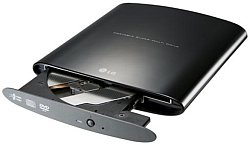
Of course, with such a small system, you usually don’t get a full-size CD/DVD drive, but a laptop style drive. Ie you push the eject button, and the small tray only pops out half way. You then need to pull the tray out all the way, snap the disk onto the central spindle (so the CD stays where it should), and then you push the tray back into the drive.

I simply assumed that everyone has seen and/or used these type of drives before, but not this time.

I got a call from this lady, saying that the CD would not eject.

I’m thinking: I ejected it just an hour ago… It couldn’t have failed so soon!

After a few more questions, I figure out that she opened the CD tray (since the PC was vertical, so was the CD drive… not horizontal like most CD drives), put the Microsoft Office CD “into” the tray and then closed the tray. And now the CD is trapped inside the drive.

After even more questioning, she says that she just placed the disk lightly into the tray, the same way she would with her past PCs

Then I realise she didn’t “click” the CD fully onto the spindle, and the CD came loose once the drive tried to spin up the CD…

So now the CD is loose inside the drive, and its probably jamming the tray and/or the eject mechanism.

And the customer insists she did nothing wrong, and that I sold she a PC with a “very fragile” CD drive.

So I get her to lay the tower flat (so the CD drive/tray is horizontal), and to try ejecting it again… but that also doesn’t work.

As a last resort, I ask her to find a paper clip, straighten it out, and to carefully push it into the tiny “eject” hole near the eject button.

She say she will call back, once she finds a paper clip, and tries it out.

I also suggest that she gently shake main PC (while the power is off).

She doesn’t sound very happy when I give her the worst case scenario: replace the drive with a similar one, and dismantle the “broken” one, in order to get the CD out.

After about an hour, she calls back and says she managed to get it open.

I once again ask her to make sure the CD is clipped in firmly, before closing the tray.

Posted in Technical | Tagged CD drives, inserting, laptop

infection says: Hard drive rotation speed decreased by 20%

Computer Aid Posted on 1 March, 2012 by Luigi Martin1 March, 2012

If it wasn’t so annoying, some of the “informational” messages that you get from an infection are almost comical.

I had one the other day that did its usual fake scan, and then gave some messages that were meant to frighten someone who didn’t know much about computers. Here is a sample:

  • Hard drive rotational speed exceeds limits and may cause a system failure
  • Ram memory speed decreased significantly and may cause a system failure
  • Hard drive rotation speed decreased by 20%

Now most computer people know that its virtually unheard of that a hard drive rotational speed will increase so much as to actually cause a problem.

Similarly, RAM speed is virtually unchangeable, and even if it did change, the system has checks in place to add/remove extra delays if its running slow/fast.

And then the hard drive rotation speed decrease… it feels like they are contradicting the first statement.

But then, if you don’t know, then the infection just needs to display something that might sound vaguely plausible.

Non technical people (ie most computer users), could believe such statements.

Its like a motor mechanic saying that your engines conrod slide bearings are worn… to me, that could mean anything… but it sounds serious (and expensive).

Posted in Humor | Tagged infection humor

Com surrogate is not responding plus microsoft security client oobe stopped error: 0xC000000D

Computer Aid Posted on 27 February, 2012 by Luigi Martin27 February, 2012

I sold a computer about 9 months ago. It had an Intel motherboard, and worked well until the customer reported that the internet suddenly stopped working.

After some initial telephone diagnostics, I decided I needed to visit and see what was happening.

At this stage, I’m guessing that the ethernet drivers might need re installing

I first noticed that the network adapter was disabled by Window 7

So I enabled it, but then, whenever I tried to see some adapter information (eg IP address), the window would just show the “waiting” cursor. It was effectively locked up (yet the rest of windows was working fine).

I noticed that the antivirus detected and removed a virus on the same day this problem occurred… a coincidence?

Device manager said the device was operating normally.

After a few minutes, one of the frozen windows displayed the error:

Com surrogate is not responding

Hmmm, It was all a bit too strange, so I took the computer back to the office, and had a more careful look.

I did a RAM test (RAM is ok)

I tried safe mode (with networking), but still no network.

Eventually decided to plug in a USB WiFi adapter, to see if I could get to the internet a different way… and this worked.

The next step (now that I have internet access) is to do a full malwarebytes scan… but no malware was found.

Looking in the event log, I find:

session “microsoft security client oobe” stopped due to the following error: 0xC000000D

I also find a few errors about reading hosts file

So also create a blank hosts file, and that fixes the errors, but not the internet access

I remove and reinstall the ethernet drivers (broadcom gigabit netlink controller), but that doesn’t fix it.

I found a reference to removing the file:

C:/program data/microsoft/microsoft security essentials/support/MSSEOOBE.etl

But that didn’t help either

OK, how about uninstall Microsoft Security Essentials?

Still no go.

In the end, I decide it must be a fried ethernet adapter chip.

So I disable the onboard ethernet adapter, plug in a new PCI ethernet adapter, and that works perfectly.

Isn’t it strange how we can be fooled into believing that there’s no hardware problem, just because windows says so…

Posted in Technical | Tagged 0xC000000D, com surrogate, oobe stopped

youtube html5 doesnt work on firefox

Computer Aid Posted on 20 February, 2012 by Luigi Martin20 February, 2012

I recently found a strange problem:

I tried looking at a youtube video, but it didn’t work.

After some experimentation, I found that it was partly due to youtube using HTML5, and partly due to firefox (chrome worked correctly, and firefox displayed other non-youtube HTML5 pages correctly).

So what gives?

And how do I fix it?

Well, it turns out that YouTube is using a proprietary codec to show these video… but only Chrome is “licensed” for this particular codec.

So its not Firefox’s “fault”… its google / YouTube who are “breaking” the HTML5 standard… Yeah, ok, technically, they are not breaking the standard, but using a proprietary codec is a good way of turning people away.

I hope this situation doesn’t start to mirror the weird GIF situation from many years ago.

If only Google would release this codec to the public (or use an existing codec), then we wouldn’t have this stupid situation.

Google: get your act together!

Posted in Technical | Tagged codec, firefox, Google, html5, youtube

Convert raw filesystem into NTFS (partition recovery software cannot do fixboot)

Computer Aid Posted on 13 February, 2012 by Luigi Martin13 February, 2012

I got called out to a wreckers yard, to fix an infected Windows XP Computer.

It was a bit tricky, and once the infection was removed, the computer was left unable to start most exe files (some file associations were corrupt).

By that stage, it was closing time, so it was better for me to take the computer back to the office, and fix the problem during spare moments in my evening.

Once that was complete, I let the HDD defragment overnight.

The next morning, I closed the defrag window, and restarted the PC.

And then I got a bios message that said: operating system not found.

Great 🙁

Anyway, a bit of extra work, but it should be something trivial, like doing a chkdsk

I plugged the drive into the office computer, and windows says:

Disk/Drive is not formatted. Do you want to format it?

Obviously not.

I try UBCD4Win, but it also cannot recognise the partition as NTFS.

And a chkdsk will not work at all.

Using UBCD4Win, I run fixMBR, but that doesn’t help.

So I try Easeus Partition Manager, but after scanning for a few hours, it cannot detect and fix the problem.

I then try a few different partition tools, and I get some very strange results.

Some will immediately detect the partition as NTFS, and show that there is nothing wrong with the files and folders on the partition.

Others will just scan for a few hours, and not find anything.

How can similar software give such different results.

And most forums on the net are full of suggestions like “use data recovery software, then reformat”… It really shouldn’t be necessary.

I’m sure there must be a simple fix to get the filesystem restored.

So, after spending most of the day on this, with the customer getting very impatient about getting their computer back, I find all sorts of interesting pieces of information:

  • The NTFS filesystem is identified using the number “07”… in this case, some partition tools say its 07, other say its 00
  • The filesystem type is stored in 2 places: MBR and boot sector

So, its starting to look like the MBR and the boot sector have conflicting information about the filesystem type.

So how to fix it?

  • Boot from a windows XP CD
  • select recovery console
  • at the command prompt, enter: fixboot c:

For some reason, I kept thinking “this is a filesystem problem, not a boot problem… so fixboot will not help”.

So its a happy ending after a very frustrating day!

And I am very annoyed at these “partition recovery” companies!

Before starting a partition recovery process that could take many hours, how difficult is it to check that the filesystem type is consistent (rather than just looking at either the MBR or the boot sector)?

Posted in Rant, Technical | Tagged ntfs, partition, raw, recoverry

Error code 0x800704ec removing Alureon.E

Computer Aid Posted on 6 February, 2012 by Luigi Martin6 February, 2012

This is one of the rare infections, where I found it easier to re-partition the hard drive, rather than remove the infected.

I initially just ran malwarebytes, and by using a combination of safe mode, and UBCD4Win, I managed to (apparently) clean the system (it took 2 hours!).

So, the next day, the same customer calls, saying they tried to install AVG (I didn’t have time to re-install an antivirus on the day, and the customer seemed competent enough to do it himself)… but he kept getting errors, and now the computer won’t start.

So I bring the PC back to the office

Starting the Windows 7 PC only results in an initial attempt to start windows, followed by a re-boot

So I remove the hard drive, and install it into my bench PC.

Sure enough, malwarebytes finds and removes more infections.

But while malwarebytes is scanning, Microsoft Security Essentials say it found an Alureon.E infection in boot:deviceharddiskvolume2

But then it gives an error code 0x800704ec and says something like: I can’t remove it due to permission problems.

A second scan with malwarebytes, says the disk is clean… and I get the same report from SuperAntiSpyware, only Microsoft Security Essentials keeps detecting, and complaining about Alureon.E

I try TDSSKiller, but it can only scan the current active system, so thats useless for fixing a non-booting system.

I put the disk back into its original PC, and boot the Windows 7 CD, and attempt a “repair system startup”. After a few attempts, its obvious that its not working.

I even try to manually fix the bootup, using “fixboot” and “fixmbr”, but the fixboot gives an error.

I try a huge array of options to clear the boot sector, and I eventually manage to get fixboot to work, but MSE still says that there is Alureon.E on the disk.

Eventually I see a few forums that mention that even if Alureon.E is removed from the boot sector, once the system starts, its possible that the system will get re-infected.

At this point, I decide I’ve wasted enough time on this, and I backup all the user data, re-install windows (I make sure I delete all the partitions, and then re-create them, so that there is no chance that Alureon.E can find its way back).

Its a pain to recover lost data and applications, but at least it will save me from wasting more time on trying to fix something that might not be fixable.

Its strange: I would have thought that most anti-virus software would have the access rights to override a boot sector, yet it seems like thats not the case.

If I ever see this type of infection again, I’m going straight to the “backup and wipe windows” option!

Posted in Technical | Tagged 0x800704ec, Alureon.E, windows 7

wordpress weaver theme: how to change the sub menu width

Computer Aid Posted on 30 January, 2012 by Luigi Martin30 January, 2012

I’ve recently started using the weaver theme for WordPress.

One of the biggest mental hurdle to jump over, is to not directly alter the CSS stylesheet, but to use the CSS sections under the main options menu of the Weaver Admin panel, and in some cases, the <head> section of Advanced Options

However, I did find that using google to find the correct snippet of CSS code really didn’t work well, since most people go straight to altering the CSS stylesheet.

But I soon found out how to “uncover” the correct CSS on my own.

A good example was the menu bar along the top of:

Home Loan Advisors

I added the CSS:

{font-size:180%}

to the CSS sections for “Menu Bar text”, “Menu Bar hover” and “Menu Bar current page”

This made the menu font just the right size I wanted.

However…

The drop down menu was a fixed width, so the sub menu words were wrapping around, causing an ugly mis-alignment of the gradient background.

The solution:

I found someone who mentioned changing the #access and #access2 section in the stylesheet, but I decided to carefully look at the stylesheet myself (Appearance -> Editor)

The stylesheet is reasonable well documented, so I went to the menu section of the stylesheet, looking for something about “width” and a size of about 100 to 300 px (pixels)… which is what I guessed was the width of existing sub menu.

it didn’t take long to find a section that looked like this:

#access ul ul,
#access2 ul ul,
#access3 ul ul {
    box-shadow: 0px 3px 3px rgba(0,0,0,0.2);
    -moz-box-shadow: 0px 3px 3px rgba(0,0,0,0.2);
    -webkit-box-shadow: 0px 3px 3px rgba(0,0,0,0.2);
    display: none;
    position: absolute;
    top: 38px;
    left: 0;
    padding-left:0px;
    float: left;
    width: 180px;
    z-index: 99999;
}

So, what I wrote in the Advanced Options -> <head> was:

#access ul ul {width:240px;}
#access2 ul ul {width:240px;}
#access3 ul ul {width:240px;}

I was close: that altered the menu width, and the background shadow, but the gradient background hadn’t increased in width.

Another look at the stylesheet showed this code:

#access ul ul a,
#access2 ul ul a,
#access3 ul ul a {
background: #333;
line-height: 1em;
padding: 10px;
width: 160px;
height: auto;
}

So I also added the following code to the <head> section:

#access ul ul a {width:220px;}
#access2 ul ul a {width:220px;}
#access3 ul ul a {width:220px;}

Bingo!

Just the right width!

However, some alterations are more difficult than others.

Ultimately, more comprehensive documentation (or even more meaningful variable names), would make this process a lot easier.

I mean, why call sub menu widths: “access”, why not just call it “sub-menu-width”?

Posted in Rant, Technical, Tutorial, Wordpress | Tagged sub menu, submenu, weaver, width

barrys plumbing and electrical (why yell123.com sucks)

Computer Aid Posted on 13 January, 2012 by Luigi Martin13 January, 2012

I got a spam text message on my phone yesterday.

It said:

Barrys Plumbing and Electrical, 24 hour service, work done quickly and cheaply. Ph 1800 350 079. sms STOP to 0447174014 to OPT OUT. Number Ex Yell123

Since I really don’t like spam SMS, and I also don’t like spending money on a (possibly) expensive SMS in order to opt out of something I shouldn’t be getting in the first place, then I decided to annoy the annoying people at yell123

I simply wrote an email to: data@yell123.com which said:

OPT OUT the following numbers:
0402 133 xxx
0435 467 xxx
0404 579 xxx

Obviously I’m not going to show the actual phone numbers in this post.

So what happens?

The next day, Yell123 decides to send me the same spam message again

So I send the same email back to them again.

I can keep doing this for as long as they can.

I also urge anyone else who got this message to: send yell123 a daily email asking them to opt them out.

The way I see it is:

If I send the opt out message via SMS, then they probably have an automated computer program to (possibly) remove you from their database… so it doesn’t cost them anything.

But sending them an email, means that it doesn’t cost ME anything, but they need to employ someone to process the emails they receive.


Either yell123 stop spamming, or they implement a free method to opt out of this garbage.

And a message to the owners of barrys plumbing: dump yell123 … any short-term gain you get in business will not help you in the long term, given the damage in your reputation thats caused by this type of spamming.

Posted in Rant | Tagged barrys plumbing, yell123, yell123.com

Sharp MX-5001n twain scan

Computer Aid Posted on 19 December, 2011 by Luigi Martin19 December, 2011

I needed to install drivers for a MX-5001n printer.

The driver was easy to download and install from the sharp website.

I also decided to download the twain driver, so that the PC could also scan.

Normally, if I’m using someone else’s computer, I will use microsoft paint to test twain scanning.

So after installing and configuring the twain driver, I decide to use microsoft paint… but the “from scanner or camera” menu item is greyed out.

So I install my favourite scanner front-end: irfanview

But it also fails (but at least it gives a meaningful error message: install the twain driver, or enable the twain scanner).

So, I take a look at the printer.

I go to the printers “image send” menu, and I then notice that there is a tab called “PC Scan”.

After selecting PC Scan, the printer starts waiting for a PC to request a scan.

But I didn’t get any scanning software from sharp, so I go back to microsoft paint… but it still shows the greyed out “from scanner or camera” menu.

So back to irfanview, and it works perfectly.

Its just awkward that the printer needs to be put into pc scan mode, before and scanning can occur.


Posted in Technical | Tagged mx-5001n, twain

Post navigation

← Older posts
Newer posts →

Archives

Categories

Recent Comments

  • Sue Jones on outlook error 0X800ccc0e while sending emails
  • Blair Newmann on AdSmartMedia advertising
  • Private Investigator in GTA on Divorce, consent orders, and superannuation splits: getting the wording correct

Tags

802.11g ADSL amd android bigpond broadband bsod defender dell email exitjunction firefox firewall gmail Google google contacts ie7 infection internet connection ISP laptop Linux m1188a ntldr is missing office 2007 outlook outlook express password power supply problems ram registry repair install sata scam slow telstra thunderbird usb vista wifi windows 7 wireless wordpress xp
Copyright © 2005-2015 Computer Aid
↑
